

How Many Watts Does a Laptop Use?
Whether you are working from home, studying, travelling with a laptop or preparing for a power cut, understanding laptop power consumption can help you estimate electricity use and choose suitable backup power.
So, how many watts does a laptop use? There is no single figure for every laptop. Power demand changes according to the laptop’s processor, graphics hardware, screen, battery level and the type of work being performed.
A laptop used mainly for emails and documents may require much less power than a gaming laptop running a demanding title. The wattage of the charger also does not tell you exactly how much electricity the laptop consumes at any given moment.

How Many Watts Does a Laptop Use During Different Tasks?
Laptop power consumption varies significantly by model and workload. The following real‑world measurements from Notebookcheck show how much power different laptops can use under idle and demanding conditions.
| Laptop model | Idle | Load / Gaming | Peak |
|---|---|---|---|
| Apple MacBook Air M2 | — | ~38W | >55W |
| Dell XPS 13 9310 OLED | 5.7–12.3W | ~44W | 47.8W |
| HP Spectre x360 14 | ~4.9W | ~39W | 68.6W |
| Lenovo ThinkPad X1 Carbon Gen 11 | 7–8.1W | ~40.5W | 66W |
| Microsoft Surface Laptop 4 13 | 2.6–8.2W | ~41.4W | 64.1W |
| Lenovo Yoga Slim 7i Carbon 13 | 6.9–10.9W | ~49W | 62.5W |
| Acer Swift 3 SF314‑41 | 5.7–9W | ~40.1W | 42.4W |
| Acer Swift Go 14 AI | 3.7–7.8W | ~46.8W | ~67W |
| ASUS ROG Zephyrus G14 (2024) | 6.9–9W | ~109.7W gaming | 161.6W |
| ASUS ROG Zephyrus G14 (RTX 4090, 2023) | 9.4–14.5W | ~170W gaming | 220.8W |
These results show how widely laptop power consumption can vary. Productivity‑focused models in this sample generally remain below 50W under sustained load, while gaming laptops can exceed 100W during demanding games. These are model‑specific test results, so actual consumption will vary with the processor, graphics hardware, display, brightness and workload. A laptop’s charger rating should therefore not be treated as its constant power consumption. For example, the ThinkPad X1 Carbon Gen 11 reached around 40.5W under load and 66W at its highest measured level.
What Determines How Much Power a Laptop Uses?
Several parts of a laptop contribute to its overall electricity consumption.
CPU and GPU
CPU and GPU load can significantly affect power consumption. Gaming, video editing, 3D rendering and other demanding workloads generally require more power than web browsing or document work.
Screen Brightness and Refresh Rate
Screen brightness and refresh rate can also affect power consumption. Higher brightness and refresh rates generally increase display power use. On the Dell XPS 13 9310 OLED, for example, Notebookcheck measured 6W with a black screen and 12.3W with a white screen at maximum brightness.
External Devices
External monitors, docking stations, USB storage and other accessories add to the total power demand, so include them when estimating the requirements of a complete work setup.
How Much Electricity Does a Laptop Use in 8 Hours?
The easiest way to estimate a laptop’s energy use is to start with its average power consumption rather than the maximum wattage of its charger. If you know the laptop’s average draw, multiply it by the number of hours you use it:
Energy use (Wh) = Average power (W) × Operating time (hours)
For example, a laptop averaging 50W over an eight‑hour working day would use:
50W × 8 hours = 400Wh = 0.4kWh
30W ≈ 240Wh, 50W ≈ 400Wh, 80W ≈ 640Wh, 100W ≈ 800Wh over 8 hours.
These figures are calculated examples, not fixed consumption levels for particular laptop models. Actual power use varies according to the laptop, workload, display settings and charging behavior. If you want to measure your own laptop’s consumption, a plug‑in energy meter can provide a direct reading of the electricity drawn from the mains.
How Much Does It Cost to Run a Laptop in the UK?
Once the energy requirement is converted to kWh, you can estimate the electricity cost using your own tariff:
Cost = Energy used (kWh) × Electricity rate (p/kWh)
For example, using Ofgem’s average electricity unit rate of 26.11p per kWh for the period from 1 July to 30 September 2026, a laptop consuming 0.4kWh over eight hours would cost about 10.4p to run. Your actual cost will depend on your electricity tariff and payment method. Your actual cost will depend on the unit rate on your electricity tariff.
| Average power | 8‑hour energy use | Cost at 26.11p/kWh |
|---|---|---|
| 30W | 0.24kWh | 6.3p |
| 50W | 0.40kWh | 10.4p |
| 80W | 0.64kWh | 16.7p |
| 100W | 0.80kWh | 20.9p |
This calculation covers the laptop’s electricity consumption only. If you are also running an external monitor, router, docking station or other equipment, their energy use needs to be added separately.
For a portable power station, use the same Wh calculation when estimating how much battery capacity you need. A laptop averaging 50W for eight hours requires 400Wh of energy in theory, but a power station needs additional capacity to account for conversion losses and the power used by any other connected devices.
What Size Portable Power Station Do You Need for a Laptop?
If you want to use a laptop during a power cut, while camping or when working away from mains electricity, two specifications matter most: output power and battery capacity.
AFERIY P180 Pro Portable Power Station for Laptop Backup
For users who mainly need a portable backup source for a laptop and a few essential electronics, the AFERIY P180 Pro Portable Power Station is a suitable option to consider.
The UK model has a 1,024Wh LiFePO₄ battery, expandable to 5,120Wh, together with a 1,800W pure sine wave AC output. It also provides a 140W USB‑C PD port, which can be useful for compatible high‑power laptops that support USB‑C charging. The unit weighs 11.64kg and supports AC, solar and car charging.
For a home‑working or travel setup, this means the power station can be used not only for a laptop but also for smaller devices such as phones, networking equipment and other electronics.
Its expandable battery design is particularly useful if your backup requirements increase later, without immediately moving to a much larger power station.

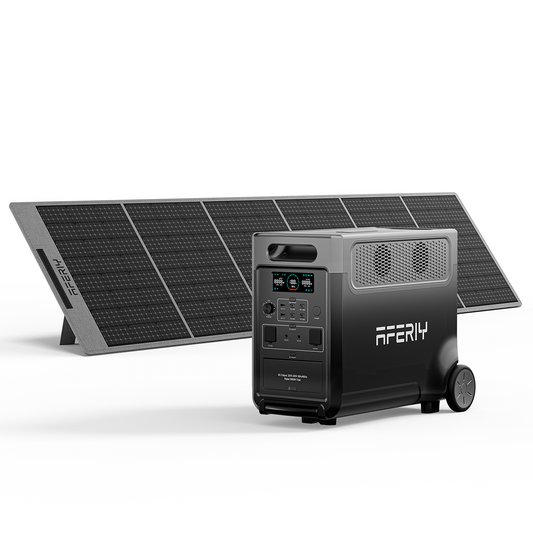
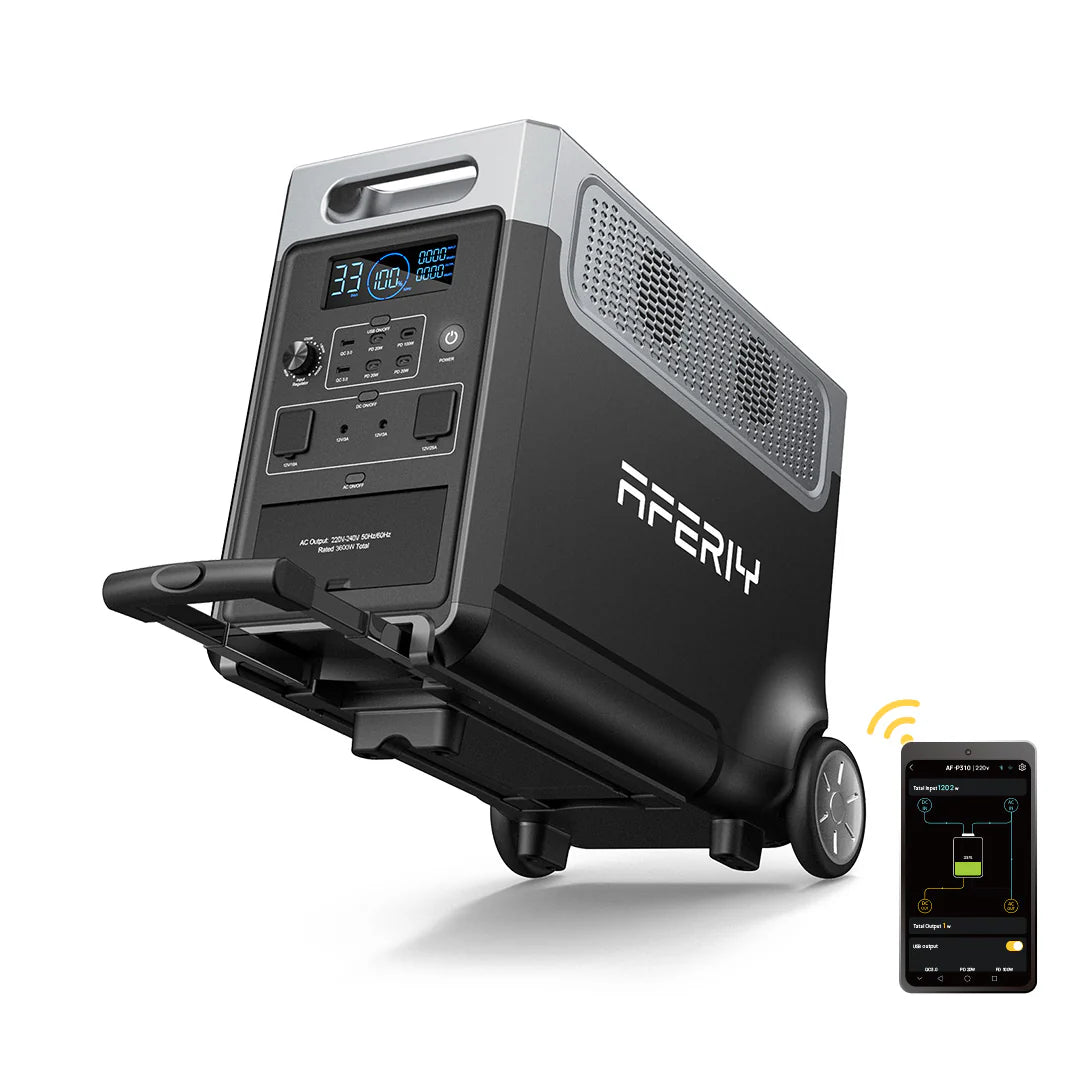
AFERIY P280 Portable Power Station for Larger Laptop Backup Setups
The AFERIY P280 Portable Power Station is aimed at users who need substantially more capacity for a wider range of equipment.
The AFERIY P280 Portable Power Station starts with a 2,048Wh battery capacity and can be expanded to 10,240Wh. It provides 2,800W continuous AC output and includes two 140W USB‑C PD ports, allowing multiple compatible USB‑C devices to be connected.
It also supports up to 1,200W of solar input, so it can be paired with solar panels when you need to replenish the battery away from the mains.
For someone who only needs to keep one laptop charged, the AFERIY P280 Portable Power Station may provide considerably more capacity than necessary. However, if your backup plan includes a laptop alongside monitors, a router, lighting and other essential equipment, its larger battery and higher output can make more sense.

FAQs
How Many Watts Does a Laptop Charger Need?
It depends on the laptop. For example, the current MacBook Air can be configured with a 35W Dual USB‑C Port Compact Power Adapter or a 70W USB‑C Power Adapter, while Lenovo’s ThinkPad X1 Carbon Gen 13 uses a 65W USB‑C AC adapter. High‑performance laptops can require considerably more; ASUS specifies a 200W AC adapter for the 2025 ROG Zephyrus G14. Always check the recommended charger specification for your exact laptop model.
Is 100W Enough to Power a Laptop?
It depends on the laptop and how it is being used. A laptop designed to charge through USB‑C Power Delivery at up to 100W may be able to operate from a 100W source, while some high‑performance laptops require more. Check the manufacturer’s recommended charging specification before choosing a USB‑C charger or portable power station.
How many watt‑hours does a laptop use?
There is no fixed number because Wh depends on both power draw and operating time. A laptop averaging 50W for eight hours would use 400Wh before accounting for conversion or charging losses.
Conclusion
Laptop power consumption can vary considerably, so the charger wattage alone is not enough to tell you how much electricity a laptop actually uses. Looking at real power draw gives you a more useful basis for estimating running costs and backup requirements.
If you're planning for a power cut, travel or off-grid work, the right solution depends on how many devices you need to keep running and for how long. For a simple laptop setup, the AFERIY P180 Pro Portable Power Station can provide a practical backup option, while the AFERIY P280 Portable Power Station is better suited to a broader setup with several devices.